






PC tuning for more FPS and less input lag

We connect to your PC remotely and stay with you on Discord while we tune the BIOS and Windows and overclock the CPU and RAM.

Used by pro players and streamers, including Setty with 600K+ followers on X

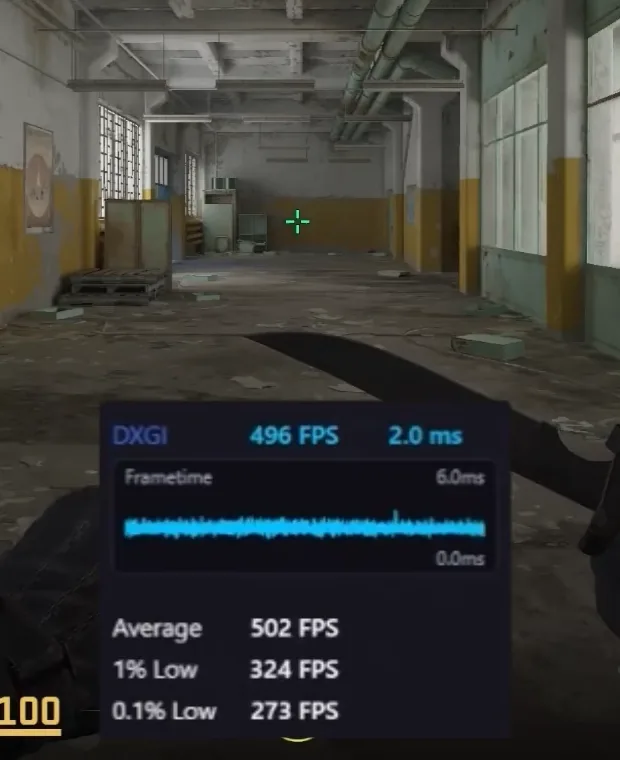
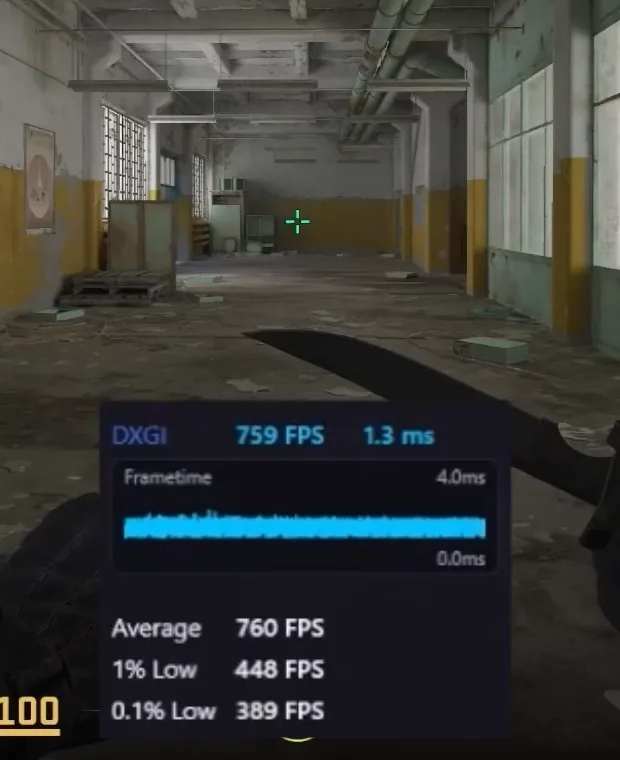
Counter-Strike 2 before a session: the in-game overlay reads 496 FPS and 2.0 ms
Stock
Counter-Strike 2 after a session: the in-game overlay reads 759 FPS and 1.3 ms
Optimized
Avg FPS
484742+53%
1% low FPS
274 398+45%
Frame time
2.0 1.3 ms−35%

Counter-Strike 2, same PC, recorded in gameSee more games

What you get

A machine that feels faster in game and stays that way.

Players from FNCS, DreamHack and Globals tune their PCs with VΛIN

How deep it goes

Layer What changes Playbook Session
OS Telemetry, preinstalled software, services and scheduler defaults, stripped and tuned from a clean install. Included Included
BIOS The settings your board shows and the ones the vendor hides, opened up and made editable. Not included Included
Firmware We rebuild a modded BIOS image for your motherboard, and our own firmware modules (DXE, SMM and PEI) are coming soon. Not included Included
Overclock RAM and CPU timings and clocks taken to what the silicon holds, validated with stability and temperature testing. Not included Included

How far a session can go depends on your motherboard.

Before and after

What a session changes while you play.

Before

After

Example. Results depend on your hardware.

Gains, game by game

The same PC before and after a session, recorded in game.

Gameplay recording coming soon

Stock Optimized

Numbers for this game are coming soon.

Avg FPS

Optimized
Stock

1% low FPS

Optimized
Stock

Avg frame time lower is better

Optimized
Stock

Services & prices

Live, remote 1-on-1 sessions. The whole machine, or just the part you're stuck on.

Max performance

Max optimization

Everything in Complete plus the GPU, with CPU, RAM and GPU pushed to the safe limit of your silicon.

599 zł

  • OS install + VΛIN config
  • In-depth CPU overclock
  • In-depth RAM overclock
  • In-depth GPU overclock
  • BIOS update if needed
  • BIOS configuration
  • Unlocked BIOS if needed
  • Modded BIOS if your board allows it
  • 14 days of priority support
Schedule optimization

System & BIOS

A clean install, full configuration and the BIOS side handled.

199 zł

  • OS install + VΛIN config
  • Not included: CPU overclock
  • Not included: RAM overclock
  • Not included: GPU overclock
  • BIOS update if needed
  • BIOS configuration
  • Unlocked BIOS if needed
  • Not included: Modded BIOS
  • 7 days of support after the session
Schedule optimization
Max and Complete need high-end hardware and good cooling

Both packages require a Z-series (Intel) or B/X-series (AMD) motherboard, a CPU with an unlocked multiplier and AIO or strong air cooling. Not every PC can be overclocked and not every motherboard supports a modded BIOS, so before ordering send your specs and board model on Discord and we'll tell you what's possible.

How it works

  1. Order and pay

    Pick a package or a single service and pay online; the form shows the expected date. Then fill in your PC specs in the order panel, which takes two minutes.

  2. Agree on a time

    You get a link to your order panel with your place in the queue. As your turn comes up, we agree the exact time on Discord.

  3. We tune it live

    We connect to your PC remotely while you stay with us on Discord, with your phone pointed at the screen for restarts and BIOS work.

  • We work on desktop PCs only, not on laptops.
  • Packages with an OS install wipe the drive. Back up everything you care about beforehand.
  • We do not activate Windows. The license is yours to provide: you activate it with your own key or the license linked to your Microsoft account.
  • For an OS install or a BIOS update, have a USB stick of at least 16 GB ready. Everything on it will be erased.
  • The machine needs stable power and a working internet connection for the whole session. A power cut during a BIOS update can leave the motherboard unable to boot, and we are not liable for damage caused that way.
  • If something goes wrong while tuning, we may need a BIOS reset, a BIOS flash or a driver or Windows reinstall to put it right. Know where your board's CMOS jumper or clear button is (its manual shows it): you may be asked to use it. Your final settings are saved as a BIOS profile at the end of the session.
  • Overclocking gives the biggest gains on hardware built for it: a Z-series (Intel) or B/X-series (AMD) motherboard, AIO cooling, good RAM and a CPU with an unlocked multiplier.

Questions

What people ask before booking. Not on the list? Ask us on Discord.

Ask on Discord
Is it safe for my hardware?

Yes. Voltages and temperatures stay in a range your hardware can hold long term, and you check every setting with stress tests after the session, following our instructions. Max optimization takes the CPU, RAM and GPU as far as your silicon goes while it stays stable; Complete leaves headroom for everyday stability.

Is remote access safe?

We connect only for the session, with you at the PC the whole time, and see only what is on your screen. We do not copy your files and do not record the session or the camera feed.

Do you guarantee more FPS?

We do not promise a number. The results on this page were measured on specific PCs, and the gain depends on yours: overclocking gives the most on a Z-series (Intel) or B/X-series (AMD) board with AIO cooling, good RAM and a CPU with an unlocked multiplier.

How long does a session take?

Usually about 3 hours for Complete optimization, and roughly up to 5 for Max.

What if something goes wrong in the session?

Tuning means finding the limit, so a setting can leave the PC unstable or not booting, or a driver or update can misbehave. That is normal and we fix it in the session: it may take a BIOS reset, sometimes with the CMOS jumper or button on the board (you do it, we guide you), flashing the BIOS again, reinstalling drivers or, with your agreement, reinstalling Windows. Your settings are not lost: we save them as a BIOS profile at the end of the session, so a later BIOS reset brings them back in one step. If the stress tests after the session show something to fix, we adjust the settings and overwrite the profile.

What if my hardware can’t do what I paid for?

Not sure what your PC allows? Send your specs and exact motherboard model on Discord before ordering and we confirm what can be done. If your hardware still turns out not to allow what you bought, you choose: a full refund, or a switch to a service that fits with the difference refunded.

Can I cancel?

Yes, within 14 days of paying, without giving a reason: with the button in your order panel, the “Withdraw from contract” form at the bottom of the page, or by e-mail, and we refund you within 14 days. If you withdraw after the session has started, you pay for the part already done. Once the session is fully carried out, the right to withdraw ends, because in the order form you ask us to start before the 14 days are up. After the 14 days you can still cancel before the session by writing to us, and get the full price back.

Can I reschedule?

Yes, let us know in advance. If you miss a session, we arrange a new date.

How can I pay?

Online through Przelewy24: BLIK, fast bank transfer, card, Apple Pay or Google Pay. You pay in Polish złoty; the euro prices on this site are approximate. We issue an invoice on request: choose “I need an invoice” in the order form, or write to us. Business invoices are for companies with a Polish tax ID; from outside Poland, we invoice you as a private person.

Is there anything left to do after the session?

Yes: after the voice chat session, you run stress tests in your own time, following our instructions. We don’t watch them live: if a test shows something to fix, write to us and we adjust the settings and overwrite the saved BIOS profile.

The playbookThe OS side of a session, free

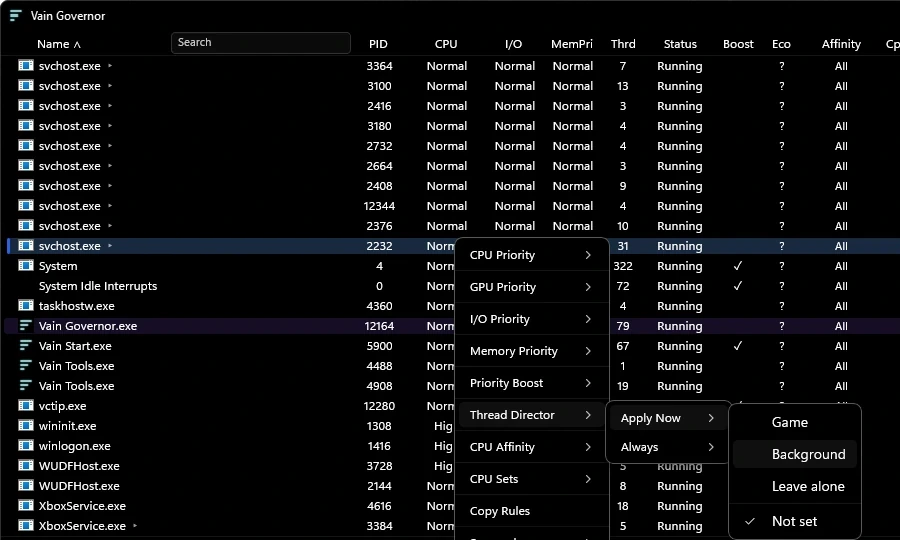
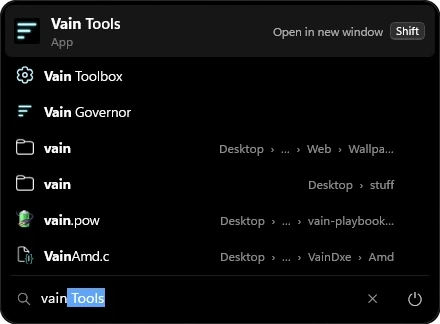
Strips telemetry, tunes the scheduler and power plan, and ships the Toolbox, Governor, Tools and Start menu. BIOS, firmware and overclocking take a session.

More about each tool
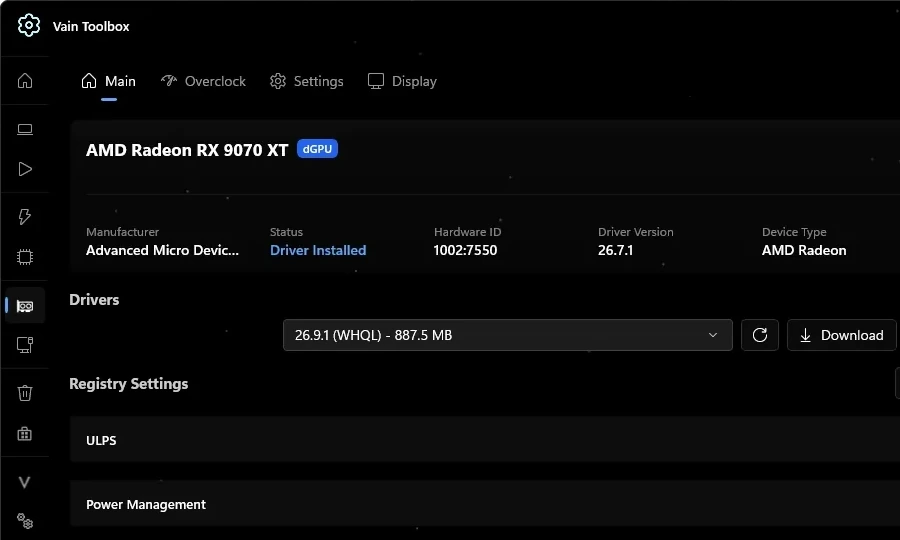
VΛIN Toolbox window showing GPU driver and registry settings

  1. Read the guide8 steps, about 30 minutes
  2. First stepsGPU driver, affinity, HAGS

VΛIN Viewer

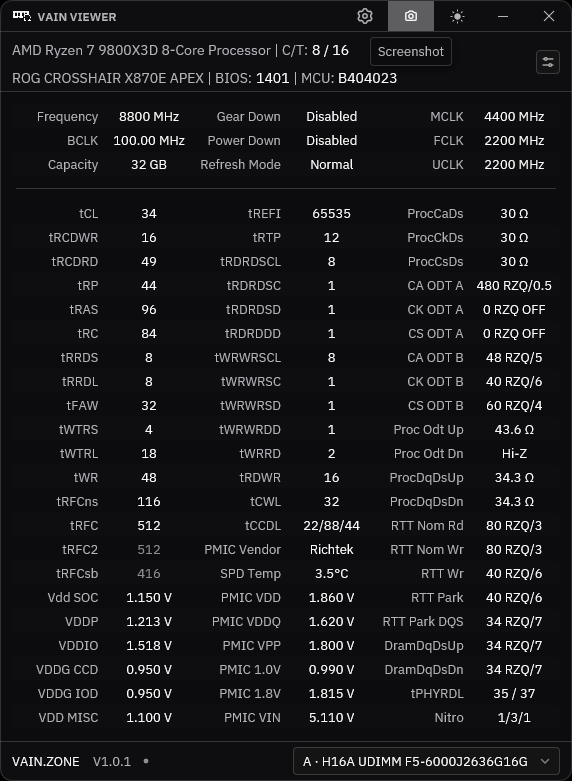
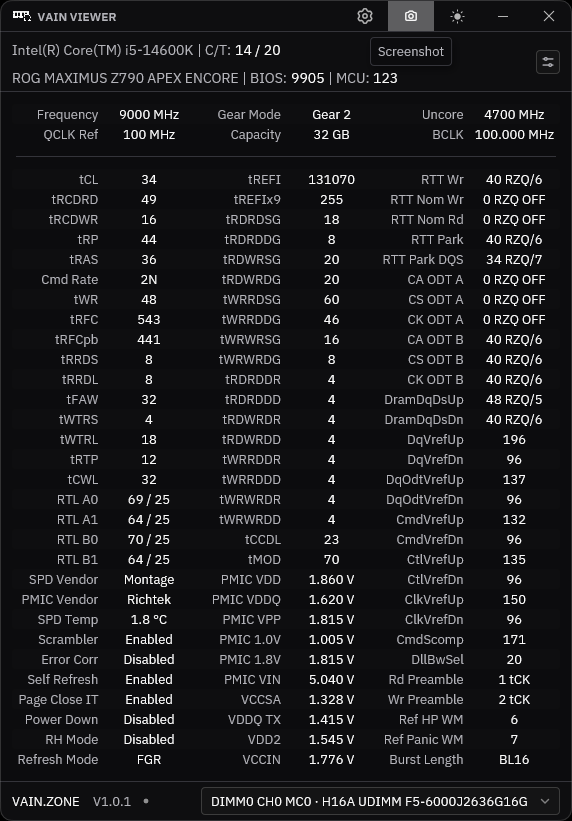
A high-precision memory timing viewer. See exactly what your RAM is running, before and after an overclock.

  • Every DRAM timing on one screen: primaries, secondaries and tertiaries
  • Voltages, PMIC readings and termination values for each DIMM
  • CPU, board, BIOS and microcode identified up top
  • Intel and AMD, written in Rust for fast, low-overhead readings
AMD
Zen 5Compatible
Zen 4Compatible
Zen 3Soon
Zen 2Soon
Zen 1Soon
Intel
LGA 1851Compatible
LGA 1700Compatible
LGA 1200Soon
LGA 1151Soon
LGA 1150Soon

MemoryDDR4DDR5

VΛIN Viewer window on an AMD system, listing DRAM timings, voltages and termination values

Team

The people building VΛIN and running your session.

Community · 11,800+ members

Join the VΛIN Discord

Send your specs, ask before you book and get help from people who run the same setup.

Join the Discord
GR1ND

Partner

10% off at GR1ND.EU

Mousepads, glides and gaming accessories, shipped from Poland. Use our code at checkout.

GR1ND mousepad with VΛIN artwork
CODE:VAIN
Visit GR1ND.EU

Read the guide first

VΛIN modifies core system components. The installation guide walks through every step, from USB prep to applying the playbook. Skipped steps are the most common reason an install goes wrong.

Right after the playbook, Disable Automatic Updates.reg and AME Wizard, which applies it, download too. If one does not start: